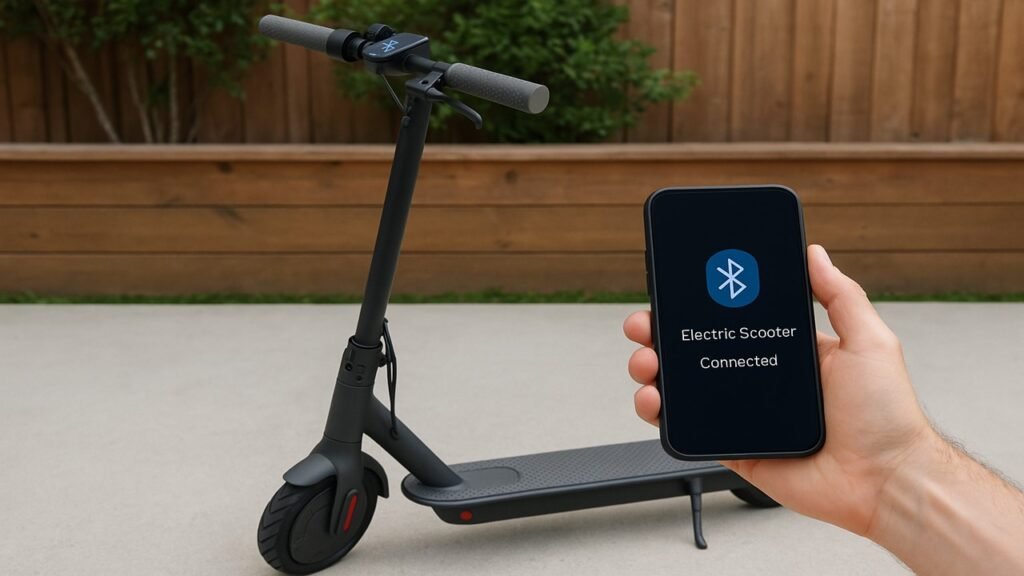
Connecting your electric scooter to Bluetooth lets you access real-time data, control features through an app, and ensure your scooter runs at peak performance. Most modern scooters—like Xiaomi, Segway-Ninebot, and GoTrax—come with built-in Bluetooth modules that pair easily with your smartphone for added convenience and safety.
Key Summary:
- Bluetooth connection allows your electric scooter to link with a smartphone app for speed tracking, locking, and firmware updates.
- Pairing requires the official manufacturer’s app, Bluetooth enabled on your phone, and both devices kept within close range.
- Most connection issues—like failed pairing or frequent drops—can be fixed by resetting Bluetooth, updating firmware, or reinstalling the app.
- Once connected, you can customize ride settings, monitor battery health, and enhance security directly from your phone.
How Bluetooth Works in an Electric Scooter
Electric scooters use a small Bluetooth module integrated into their control board to communicate wirelessly with your smartphone. This module sends and receives data packets—such as speed, battery level, and ride statistics—using Bluetooth Low Energy (BLE) technology. BLE keeps energy use minimal while maintaining a stable connection over short distances, typically up to 10 meters.
When you pair your scooter with its companion app, the system creates a secure digital handshake. This connection allows the app to read sensor data, update firmware, and adjust ride settings like acceleration or regenerative braking. In essence, Bluetooth acts as a digital bridge between the scooter’s hardware and your phone, turning a simple vehicle into a smart, connected mobility device.
What You Need Before Pairing
Before starting the pairing process, make sure your scooter and smartphone meet basic setup conditions. A proper checklist avoids failed connections and ensures a smooth pairing experience.
You’ll need:
- A Bluetooth-enabled scooter (Bluetooth 4.0 or newer)
- The official manufacturer’s mobile app
- A fully charged electric scooter and smartphone
- Location and Bluetooth permissions enabled on your phone
- Updated app and firmware versions
Once you’ve prepared these, it’s time to verify compatibility and settings before connecting.
Check for Bluetooth Compatibility
Not every electric scooter supports Bluetooth pairing. Most models released after 2020 include this feature, but it’s worth confirming through your manual or product description. Look for details such as “Bluetooth enabled,” “App connectivity,” or “Smart features.” If you own brands like Xiaomi, Segway-Ninebot, GoTrax, or Hiboy, you’re likely good to go.
Compatibility issues usually arise from outdated firmware or older app versions. Always ensure your scooter’s firmware matches the version recommended in the app’s update log.
Prepare Devices for Connection
Make sure both the scooter and phone are charged—low power can cause pairing errors. Keep them within a 1–2 meter range during setup. Open your phone’s settings and enable both Bluetooth and Location Services, as most apps use these together to detect your scooter.
Finally, download the official app for your brand from the App Store or Google Play. Avoid third-party apps, as they may not provide full functionality or could compromise security.
| Preparation Step | Why It Matters | Tips for Best Results |
| Check Bluetooth version | Ensures compatibility | Look for Bluetooth 4.0 or higher |
| Charge devices | Prevents pairing drops | Keep both at 50%+ battery |
| Enable permissions | Allows device discovery | Turn on Location + Bluetooth |
| Use official app | Guarantees full control | Download from verified source |
| Update firmware | Fixes known bugs | Check within app settings |
How to Connect Electric Scooter to Bluetooth (Main Setup Guide)
Pairing your scooter to your smartphone is quick and straightforward once you have everything ready. The process typically takes under two minutes.
Here’s a quick overview:
- Turn on your scooter
- Enable Bluetooth on your phone
- Open the official app
- Add and select your scooter
- Confirm pairing and test features
After you complete these steps, your phone and scooter will communicate automatically whenever both devices are turned on and within range.
Step 1: Power On Your Scooter
Hold down the power button for two to three seconds until your scooter’s lights turn on. Some models flash a Bluetooth indicator to show they’re ready for pairing. Ensure the scooter remains stationary during setup to prevent connection instability.
Step 2: Enable Bluetooth on Your Phone
Open your phone’s settings and toggle Bluetooth ON. On Android, you may also need to allow device scanning; on iPhones, ensure the app has Bluetooth access under “Privacy → Bluetooth.” Keep your phone close to the scooter—ideally within 1 meter—for a stable connection.
Step 3: Open the Official Scooter App
Launch the manufacturer’s app (for example, Mi Home, Segway-Ninebot, GoTrax, or Hiboy MAX). Sign in or create an account to unlock full pairing functionality. Most apps automatically begin scanning for nearby scooters once opened.
Step 4: Search and Pair Your Scooter
Tap “Add Device” or “Pair New Scooter.” When your scooter appears on the list, select it and wait for the app to request a pairing code or display a confirmation message. Some scooters show a blinking light or short beep to confirm successful pairing.
Step 5: Confirm Connection and Test Features
Once connected, your app will display key details such as speed, battery percentage, and total mileage. Test functions like light control, scooter lock, or ride mode adjustment to ensure the connection works properly.
| Step | Action | Result |
| Step 1 | Power on scooter | Activates Bluetooth module |
| Step 2 | Enable phone Bluetooth | Makes device discoverable |
| Step 3 | Open official app | Starts scanning process |
| Step 4 | Select scooter and confirm code | Pairs phone with scooter |
| Step 5 | Test lights and lock features | Verifies successful pairing |
Bluetooth Connection for Popular Scooter Brands
Different scooter brands have slightly varied pairing processes, but they all follow the same principle: enable Bluetooth, open the app, and confirm the connection. Below is a quick reference table to guide you through brand-specific setups.
| Brand | Official App | Pairing Process | Common Fix |
| Xiaomi | Mi Home | Add Device → Scooter → Pair | Update firmware |
| Segway-Ninebot | Segway App | Add Device → Select Model | Enable location access |
| GoTrax | GoTrax App | Hold Power 3 s → Pair | Restart app |
| Hiboy | Hiboy MAX App | Auto-detect nearby | Clear cache |
Troubleshooting Bluetooth Connection Issues
Sometimes your electric scooter may fail to connect to Bluetooth or disconnect unexpectedly. These problems are usually caused by software bugs, distance limitations, or outdated app versions. The good news is that most issues can be resolved in minutes with a few simple fixes.
Common issues include:
- Scooter not appearing in the app’s device list
- Failed pairing requests or timeouts
- Frequent disconnections during rides
- Firmware update interruptions
If any of these happen, follow the detailed solutions below to restore a stable connection.
Scooter Not Showing in the App
If your scooter doesn’t appear when scanning, start by turning it off and back on. Then, close and reopen the manufacturer’s app. Make sure your phone’s Bluetooth and Location permissions are active. Some models, such as Segway or Xiaomi scooters, require you to manually allow location access to detect nearby devices.
If the scooter still doesn’t show up, try pairing it with another phone to rule out a hardware issue. In rare cases, the Bluetooth module might need to be reset by holding the power button for 10 to 15 seconds or performing a factory reset through the app.
Pairing Fails or Times Out
A pairing failure often happens when the scooter or phone battery is too low, or when the device is already connected to another phone. Disconnect previous connections, restart both devices, and retry pairing. Make sure your scooter stays stationary while pairing, as vibration or motion can interrupt the process.
If the problem continues, reinstall the app and update it to the latest version. Manufacturers frequently release bug fixes that improve Bluetooth stability.
Connection Keeps Dropping
Frequent disconnections are usually caused by distance, interference, or background app restrictions. Keep your phone within 5 meters of the scooter and disable battery-saving modes that limit Bluetooth functionality. Avoid pairing in areas with strong Wi-Fi or metal obstructions, as these can weaken the signal.
For consistent connectivity, update your scooter’s firmware regularly. This ensures compatibility with the latest phone operating systems.
| Issue | Likely Cause | Quick Fix |
| Scooter not showing | Permissions disabled or Bluetooth off | Enable Bluetooth and Location |
| Pairing fails | Device already paired elsewhere | Disconnect old connection, retry |
| Connection drops | Out of range or interference | Stay within 5 meters |
| Firmware won’t update | Outdated app version | Update or reinstall the app |
Extra Features After Successful Pairing
Once your electric scooter is connected to Bluetooth, you gain access to several smart features that improve safety, convenience, and customization.
Common features include:
- Locking and unlocking the scooter remotely
- Monitoring battery health and charging cycles
- Adjusting acceleration and speed modes
- Viewing real-time ride data and trip history
- Updating firmware and checking diagnostics
After pairing, you can use these tools directly from the app to fine-tune your scooter’s behavior. For example, you can set a custom speed limit for city rides, check temperature readings before long trips, or activate anti-theft protection when parking outdoors. Each brand’s app provides slightly different features, so it’s worth exploring your specific interface to see what’s available.
Common Mistakes and Safety Tips
Bluetooth pairing is simple, but a few small missteps can cause unnecessary frustration or safety risks.
Avoid these common mistakes:
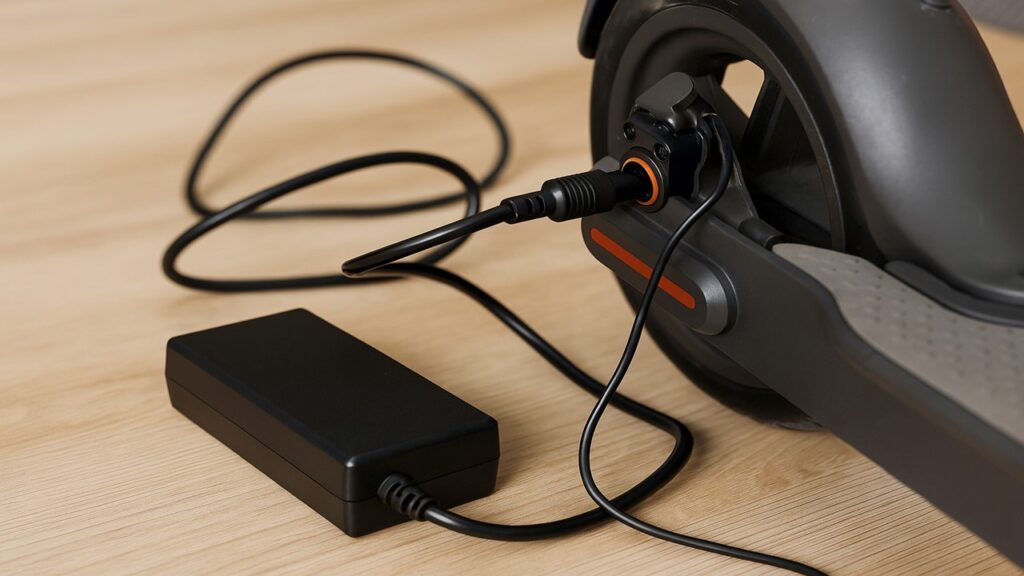
- Trying to connect while the scooter is charging
- Using third-party apps instead of official ones
- Riding while adjusting Bluetooth settings
- Ignoring firmware updates or security patches
Each mistake can impact performance or cause connection loss. For instance, connecting while charging may overload the controller board, while using third-party apps can expose your scooter to security risks. Always use your brand’s official app and update it regularly to maintain compatibility and safety.
Additionally, never attempt to pair while riding—the scooter might lose control or disconnect mid-session. Make all adjustments while stationary and on level ground.
How to Connect Your E-Scooter to Bluetooth Like a Pro (Step-by-step)
If you’ve followed along, connecting your scooter should now be straightforward. Here’s a quick recap of the process:
Quick steps:
- Turn on your scooter and keep it stationary
- Enable Bluetooth on your smartphone
- Open the official manufacturer app
- Select your scooter from the list
- Confirm pairing and test the features
Each step ensures your scooter and smartphone communicate correctly. Start by powering on your scooter and enabling Bluetooth on your phone. Open the app, choose “Add Device,” and confirm the connection when prompted. Once connected, check functions such as locking, light control, and speed monitoring to make sure everything is working properly.
Final Words
Connecting your electric scooter to Bluetooth transforms your ride into a smarter, more secure experience. From checking your battery level to locking your scooter remotely, Bluetooth access gives you greater control and insight.
If you run into issues, remember that most pairing problems are minor and can be fixed with updates or quick resets. Keep your app and firmware current, and always use official software for safe and reliable operation. Once set up, your scooter and phone will stay paired automatically, making every ride simpler and more connected.
FAQs
Why won’t my scooter connect to Bluetooth?
It usually happens when the scooter’s Bluetooth module is already paired with another device or when the app doesn’t have permission to access Bluetooth or Location. Disconnect other devices and retry after enabling permissions.
Can I pair multiple phones with one scooter?
Most scooters allow only one active connection at a time for security reasons. To switch devices, disconnect the current one before pairing another.
Does Bluetooth drain my scooter’s battery?
The impact is minimal because scooters use Bluetooth Low Energy (BLE), which consumes very little power even during extended connections.
Can I use a third-party app to control my scooter?
It’s best to avoid unofficial apps. Only use the manufacturer’s official app to ensure full compatibility, safety, and firmware update access.
What should I do if the connection keeps dropping?
Keep your phone close to the scooter, disable power-saving settings, and avoid pairing in areas with heavy wireless interference. Regular firmware updates also help maintain stability.

Max Volt is an electric scooter and e-bike enthusiast who rides daily and knows the nuts and bolts of every model. With years of hands-on repair experience and real-world testing, Max shares practical reviews, maintenance tips, and buyer guides to help riders choose the right gear with confidence. His mission is to make electric commuting safer, smarter, and more enjoyable for everyone.